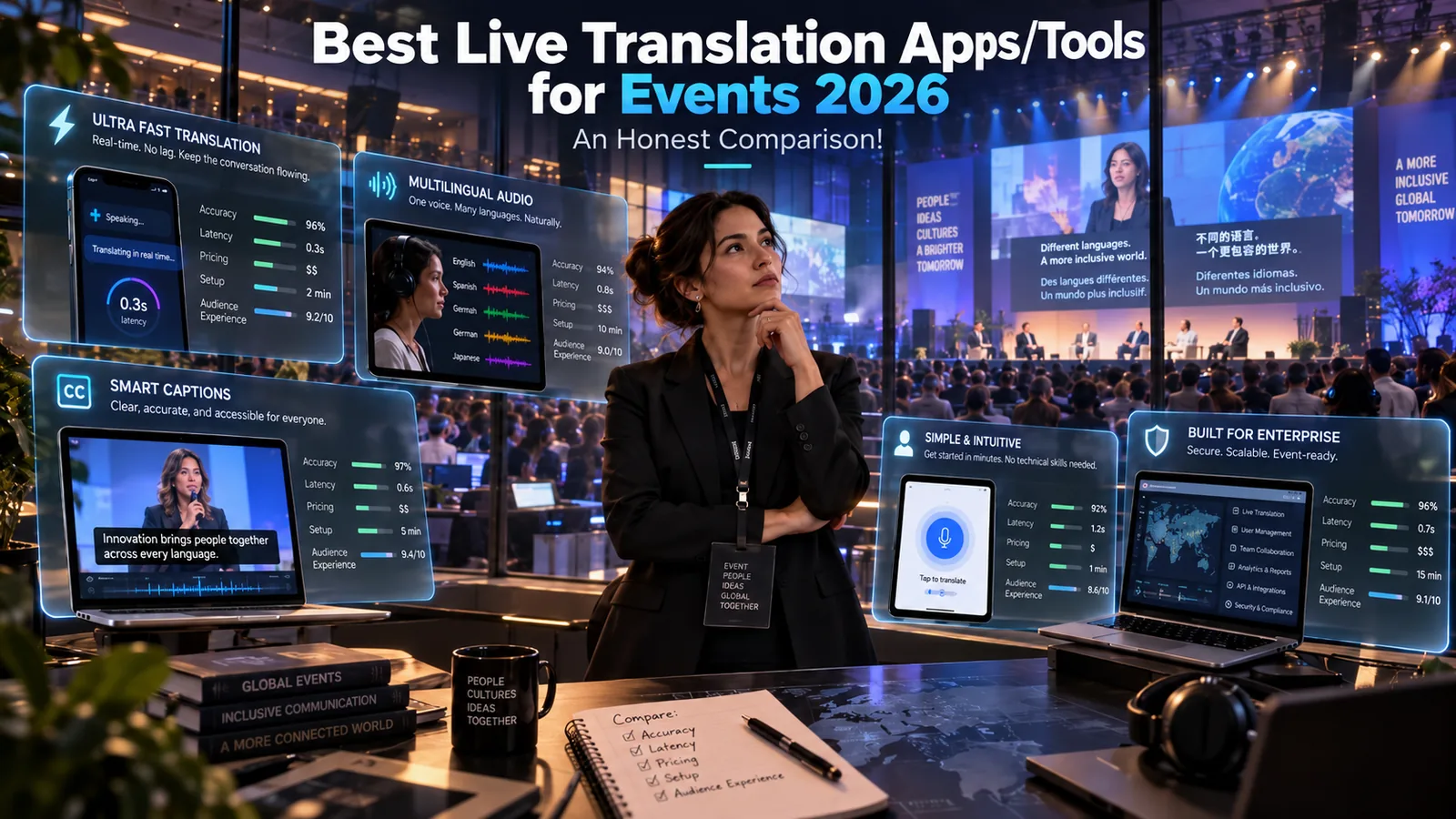
Best Live Translation Apps/Tools for Events 2026: An Honest Comparison
 Daniel Wong19 min readSoftware Engineer & Founder of Event Translate
Which live translation app/tool is best for your event?
There is no single best live translation app for events. There is a best fit for how you buy, how many people are listening, and whether you need human interpreters too. Most tools now translate well enough for a clear speaker on a good microphone; they differ far more in what makes the price go up and how your audience gets in.
- In-person events where anyone should be able to listen, paid only for what you use: a self-serve QR-code tool with no listener fees, such as Event Translate.
- Human interpreters and AI at the same event: LiveVoice, KUDO or Interprefy.
- Enterprise buying through procurement, with Zoom or Teams integration: Wordly (SSO on its Enterprise tier; SOC 2 Type II and ISO 27001 certified), Interprefy or KUDO.
- The translation in the speaker’s own voice: Maestra, Palabra or JotMe, which offer voice cloning.
- A small weekly church service on a tight budget: Breeze Translate or Hope Translator can cost less, as long as your services fit their weekly or monthly plans.
- Online meetings rather than a room full of people: JotMe, or the translation built into your meeting platform.
- One traveller listening to a talk abroad: Google Translate’s Live translate on their own phone and headphones. It helps that one person; it isn’t something an organiser can run for an audience.
The rest of this guide shows how each tool charges, where each one shines, and the questions that sort them out in ten minutes.
How did we compare them (and why read us with one eyebrow raised)?
We make Event Translate, so we are not neutral. Every “best apps” list written by a vendor somehow ends with the vendor on top, and you are right to be suspicious of this one too. Here is what we did to earn a little trust:
- Every claim about another product comes from its own pricing page, help docs or terms, checked between July and November 2026. Where a fact isn’t published, we say so instead of guessing.
- We compared what organisers actually run into on the day: how listeners join, what makes the price go up, how many languages, whether it copes with speakers who switch languages, and whether you can add human interpreters.
- We say where others beat us. They do, in several places: human interpreters, sign language, meeting-platform integrations, voice cloning and enterprise procurement.
- We don’t rank accuracy. We haven’t run a controlled test across every tool, and a vendor’s own accuracy chart (ours included) tells you less than ten minutes with your own speaker, in your own room, through your own microphones.
We describe how each tool charges rather than freezing prices that will be wrong by spring. Our comparison pages carry dated figures and sources for each competitor, and our pricing page shows our own.
How do the main live translation apps compare?
The biggest difference between these tools is what the bill grows with: minutes and languages, the number of people listening, or a year of hours bought up front. Pick the one whose growth matches your event.
| Tool | Best for | How listeners join | The price grows with | Human interpreters |
|---|---|---|---|---|
| Event Translate | In-person events of any size, churches, speakers who mix languages | QR code or link in the browser; no app or account | Minutes × target languages; listeners are free | No, AI only |
| LiveVoice | Events running AI channels beside human interpreters | App or browser | Listeners at the same time (plan size), plus AI minutes per language | Yes, streams your interpreters to phones |
| Wordly | Enterprise conferences bought through procurement | Browser, no app needed | Hours bought up front for 12 months (from 10) and attendee volume; all languages included | No |
| Interprefy | Large hybrid and virtual events | Interprefy app or web platform | Quoted hourly or daily rates, or plans for recurring events; plan hours last 12 months and don’t roll over | Yes, vetted interpreters |
| KUDO | Organisations that need professional or sign-language interpreters | QR code or web link at venues; KUDO app on iOS and Android | KUDO AI: pay as you go or annual plans from 50 hours, through sales; human interpreters also booked online by the hour | Yes, 12,000+ interpreters in spoken and sign languages |
| Maestra | Live streams and events that want voice cloning | QR code to browser; no app or account | Plan tier, which caps viewers and sets the languages included per session | No |
| Palabra | Stage events that want voice cloning, on an annual budget | QR code to browser | Annual tier with a yearly hour allowance; the entry tier allows one speaker | No |
| Breeze Translate | Small weekly church services | QR code to browser | A flat weekly fee set by how often you meet; no hard limit on languages | No |
| Hope Translator | Small congregations meeting every week | Browser, with the app recommended | Subscription tier, which caps phones listening (10 to 1,000) | No |
| JotMe | Online meetings and webinars | Link or QR code shared from the host’s desktop app | Translation minutes; JotMe says the cost of sharing grows with your audience | No |
| Google Translate (Live translate) | One person following a talk abroad | Each listener runs the app on their own phone with headphones | Free to the listener; nothing for an organiser to buy or control | No |
Pricing models are as each vendor publishes them, checked between July and October 2026. Language counts are left out on purpose: some vendors count languages, some count language pairs and some count voices, so the numbers don’t line up.
What is each tool really like?
One paragraph each, with when to pick it and what to watch for. Ours goes first so you can judge how fair we are with the rest.
Event Translate
We started building it at the end of 2025 for CCiL’s 75th anniversary, a church gathering of about 1,400 people in London in January 2026, and it has since run at events in 11 countries. Listeners scan a QR code and get audio plus a live transcript in their language, with no app or account. It detects 70+ spoken languages automatically, follows speakers who switch language mid-sentence, and translates into 86. While the event runs, an AI live summary in each language updates every three minutes, so anyone who arrives late or drifts off can catch up without nudging their neighbour. Afterwards, the organiser can unlock the full transcript and AI-written minutes (key points and action items) in every language, for a few credits per language or free on Pro. You pay per minute per target language and listeners are never billed. Audio is never stored; transcripts and summaries are kept only if the organiser leaves event records switched on.
Pick it if your audience size is hard to predict, your speakers mix languages (Cantonese and English, say), you want minutes in every language afterwards, or you want to pay per event with no contract.
Watch for: it is AI only, with no human interpreters or sign language. There is no Zoom or Teams integration and no voice cloning. Every extra language adds to the bill, so a ten-language conference can cost more than on a flat-fee tool, and using several microphones at once uses credits at twice the rate. Larger organisations needing SSO or security certifications for procurement should look at Wordly or Interprefy first.
LiveVoice
An Austrian platform that has streamed human interpreters to attendees’ phones for years, and now adds AI voice translation in 70+ languages on separate channels of the same event. Plans are sized by how many people listen at the same time, by the day, month or year, with AI minutes billed per language on top.
Pick it if you already have interpreters for your main language pair and want AI to cover the long tail.
Watch for: two meters running at once, listeners and language minutes, so a busy multilingual event climbs on both. Full comparison: Event Translate vs LiveVoice.
Wordly
One of the best-known AI-only interpretation platforms in corporate events. You buy a package of hours (the smallest is 10) to use within 12 months, and every language is included at one price, though the final price also depends on attendee volume. Its pricing page now shows a starting price, and smaller purchases can be bought online by card. It is SOC 2 Type II and ISO 27001 certified and says it complies with GDPR, HIPAA and CCPA; SSO and workspace management are on its Enterprise tier. It integrates with Zoom, Teams and Webex.
Pick it if you translate into many languages at once, or procurement needs certificates before anyone signs.
Watch for: you commit to hours before you know you will use them, which is a lot of ceremony for a one-off event. Full comparison: Event Translate vs Wordly.
Interprefy
A full-service platform: AI speech translation in 80+ languages, vetted human interpreters, and integrations with Teams, Zoom, Google Meet and Webex. It lists ISO 27001 on its AI translation page. It quotes hourly rates, daily rates and plans for recurring events, with no public prices; plans are valid for 12 months, and unused hours don’t roll over.
Pick it if you want one supplier for human and AI interpretation across virtual, hybrid and in-person events.
Watch for: no public prices, and use-it-or-lose-it hours. Full comparison: Event Translate vs Interprefy.
KUDO
A marketplace of 12,000+ interpreters across 200 spoken and sign languages, plus KUDO AI in 70+ languages and a native Microsoft Teams integration. At venues, attendees open KUDO from a QR code or web link; the KUDO app is on iOS and Android. KUDO AI is sold through sales, as Pay As You Go or an Annual Plan; human interpreters can also be booked and paid online by the hour on KUDO Marketplace.
Pick it if you need sign-language interpreters or professional interpreters booked alongside AI.
Watch for: an app for listeners in most set-ups, and no public prices to budget from. Full comparison: Event Translate vs KUDO.
Maestra
Real-time translation with AI voice cloning, so listeners can hear the speaker’s own voice in their language. Viewers scan a QR code and follow in the browser. The live plans cap the audience: Maestra Organizations allows up to 50 viewers at once with 3 languages per session; Maestra Events allows 3 rooms of up to 100 viewers each with 5. Subscribers can pay to add languages. Events includes setup help and day-of support.
Pick it if voice cloning matters, you stream through OBS or vMix, or you run frequent sessions for 50 people or fewer.
Watch for: the caps. A popular session can outgrow its plan on the day. Full comparison: Event Translate vs Maestra.
Palabra
Strong on production features: voice cloning and speaker diarisation, and its logged-in event page showed multi-microphone channels with a language per speaker (as observed 2026-07-20). In-person event pricing isn’t public; tiers are annual with a yearly hour allowance, and the entry tier covers one stage and one speaker. Its terms say an unused trial may turn into a paid subscription.
Pick it if you produce recurring multi-stage events and want cloned voices and post-event assets.
Watch for: the annual commitment, the trial that converts, and the jump in tier as soon as a second speaker needs their own mic. Full comparison: Event Translate vs Palabra.
Breeze Translate
Built for churches and designed so volunteer operators can run it week after week. Guests scan a QR code, with nothing to download. It detects 60+ spoken languages, translates into nearly 200, and charges a flat weekly fee set by how often you meet (one Sunday service, every Sunday service, or all week), with no hard limit on languages. Speech is available in 72 of those languages: 56 use the voice built into the listener’s own phone, and Breeze’s own engine covers the other 16.
Pick it if you meet every Sunday, the budget is tight, and captions or phone voices are good enough for your congregation.
Watch for: voices that sound different on every phone (Breeze says robotic audio is “almost always” fixed on the phone), Android listeners installing voice data from Google, and Cantonese audio that plays only on Android. Full comparison: Event Translate vs Breeze Translate.
Hope Translator
Another tool built with churches in mind. Listeners can follow in the mobile browser, though the app is recommended. Plans are monthly or yearly, and each caps how many phones can listen: 10, 50, 100 or 1,000 depending on tier, with a free plan of 30 minutes a month for 5 phones. Unused subscription minutes carry over into the following billing month only.
Pick it if a small congregation meets every week and reliably stays under a cap.
Watch for: Easter and Christmas. The services where visitors most need translation are the ones that blow through a listener cap. Full comparison: Event Translate vs Hope Translator.
JotMe
A desktop app for Mac and Windows that captures your computer’s audio, so it translates Zoom, Teams, Meet and Webex calls without a bot joining. It can share captions to an audience by link or QR code, has In-person and Events modes that listen through the room microphone, and offers voice-to-voice translation with cloning.
Pick it if most of your multilingual work happens in online meetings, with the odd in-person session.
Watch for: it is built around one laptop hearing the room, so in a hall you’ll want that laptop fed from the sound desk. JotMe says the cost of sharing grows with your audience, faster models use minutes at 2× or 5×, and attendees may be asked for an email when they scan.
Google Translate (Live translate)
Free, in 70+ languages, and now on Android and iPhone. A listening mode plays translated speech through any headphones, and Google itself suggests it for following a speech or lecture abroad.
Pick it if you are the listener, not the organiser.
Watch for: it hears the talk the way that seat hears it, echo, applause and the cough behind you included, rather than a clean feed from the sound desk. Every guest has to know about it, install it and set it up, and you get no transcript, no glossary of names and no control over quality.
What is the best live translation app for church services?
It depends on your church’s size and how often it meets. For a small weekly congregation on a tight budget, Breeze Translate or Hope Translator can cost less. For a large or multilingual gathering that would rather listen than read, choose Event Translate: a voice-first tool with no listener fees that speaks every language in a premium cloud voice.
On voice, Breeze Translate speaks 72 of its languages, but by its own language table 56 of them play through the voice built into the listener’s phone and only 16 through Breeze’s own engine, so how it sounds depends on the phone. Hope Translator plays an AI voice in the browser or its app, though its FAQ says a small number of languages are text only.
Our church translation guide walks through setting up live translation for a Sunday service, from the sound desk feed to the QR code, and our church translation system page shows how Event Translate runs on each person’s phone, with no headsets to rent.
What actually matters on the day?
The moment that decides whether a tool works is rarely the keynote. It is the messiest ten minutes of your programme.
On 4 July 2026, Logos Hope, OM’s missionary ship, was docked at ExCeL London. More than 200 people came aboard for NEXT 2026, with the programme in Cantonese, Mandarin and English. The stage microphones ran through the ship’s mixer into a single laptop.
The keynotes were the easy part. Then came the panel interview: a host and guests enjoying themselves, talking over one another, finishing each other’s sentences. That is when people with an earphone in either stay with the conversation or quietly take it out. Because each microphone had its own channel, every voice stayed distinct and the translation stayed accurate. You can read how we set it up in our church translation guide.
No feature table predicted that, ours included. So when you trial a tool, skip the tidy keynote and test it on:
- The panel or Q&A, where people interrupt each other
- The notices, read at speed by the person who always mixes in English
- The names: speakers, places, your organisation’s own jargon
- The worst seat in the room, on venue Wi-Fi, with the phone at 12% battery
The other lesson is older. Before Event Translate existed, Collins went shopping for a tool herself:
Collins Tam, pastor at CCiL and co-founder of Event Translate: “At the end of 2025 I was asked to organise CCiL’s 75th anniversary, a gathering of about 1,400 people in London in January 2026. I looked at LiveVoice first, because a friend had used it at a mission event and at weddings. They used it only to stream interpreters: guests scanned a QR code to hear a channel in their language, while someone still interpreted behind the scenes. Losing the bulky, expensive headsets was great, but we would still have needed interpreters in person, and I wanted our brothers and sisters to enjoy the anniversary rather than spend it translating behind the scenes. LiveVoice does offer AI translation, but its plans are priced by how many people are listening, which a church and charity could hardly afford, and it couldn’t understand our Cantonese. I also tried some tools from Taiwan and mainland China, and some big names from the US that said they could understand Cantonese. They worked well in Mandarin, but none of them could understand Cantonese slang accurately, especially in a biblical context, and our main speaker would be speaking Cantonese, slang and all. And people from Hong Kong mix English into their Cantonese all the time; it’s part of the culture. Even the platforms that understood Cantonese couldn’t catch the mixed sentences.”
That was late 2025, with our speakers and our budget. These tools keep improving, so test them on your own speakers before you decide. What we couldn’t find, we built, and that is how Event Translate started.
How do you choose the right one?
Ask every vendor the same nine questions, us included, and ask to see the answer working rather than read it on a slide.
- What happens to the bill if 100 more people turn up? Listener caps and per-listener plans are the most common surprise on the day.
- What happens to the bill if we add a third language? Per-language pricing suits two or three languages; flat pricing suits ten.
- What is the smallest thing I can buy, and when does it expire? An annual bundle is good value only if you use it.
- Do listeners need an app, an account or an email address? Every extra step loses people, especially older guests and first-time visitors.
- Can it follow a speaker who switches language mid-sentence without anyone touching a setting?
- Can each speaker have their own microphone? Panels and interviews depend on it.
- Can a latecomer catch up, and what do you keep afterwards? A live summary rescues the person who arrives during the second talk; a transcript and minutes rescue whoever writes the report. Several tools, ours included, offer both, so check which are included and which cost extra.
- Is the audio stored or used to train AI models? Get the answer in writing, not from a sales call.
- Can I hear my own language pair before I pay? Play it a real recording of your speaker, not the demo clip.
If two tools pass all nine, choose the one your least technical volunteer can start on a Sunday morning without phoning you.
When should you hire human interpreters instead?
When a mistake would be expensive, hire people. AI live translation has become good enough for most talks, sermons and tours, but there are rooms we would not put it in on its own:
- Legal, medical, diplomatic and contractual moments, where one wrong word has consequences and someone needs to be accountable for it.
- Sign language. The AI tools in this list translate speech into speech and text. For signing, book interpreters; KUDO lists sign languages among its interpreters.
- Humour, poetry and grief. A good interpreter adapts a joke or softens a hard sentence for the room; AI translates what was said.
- Poor audio you can’t fix, such as an outdoor event with no sound desk, or a speaker who won’t use the microphone.
- Contracts or institutions that require accredited interpreters.
Many events land in between: interpreters for the main language pair, AI for the languages you could never have staffed. LiveVoice, KUDO and Interprefy sell both in one place. Our guide to AI interpretation vs human interpreters goes deeper into the trade-offs, and what interpretation equipment you actually need covers the hardware side.
Frequently asked questions
What is the best live translation app for events?
It depends on how you buy and who is listening. For in-person events where anyone should be able to listen at no extra cost, a QR-code tool with no listener fees, such as Event Translate, fits best. For human interpreters alongside AI, look at LiveVoice, KUDO or Interprefy. For enterprise procurement, Wordly or Interprefy.
Can I use Google Translate to translate a live event?
As a single listener, yes: Google Translate’s Live translate plays translated speech through your headphones in 70+ languages. As an organiser, no. Each guest must install and set it up, it hears the room rather than the sound desk, and you get no transcript, glossary or control over quality.
Do attendees need to download an app?
Often not. Event Translate, Maestra, Palabra and Breeze Translate let listeners scan a QR code and follow in the browser, and Wordly also runs in the browser. KUDO and Interprefy use their own apps in many set-ups, LiveVoice offers app or browser, and Hope Translator works in the browser but recommends its app.
Is there a free live translation app for events?
Not one that scales to an audience. Google Translate is free for individual listeners, Hope Translator has a free plan of 30 minutes a month for up to 5 phones, and most paid tools, including Event Translate, offer trial credits so you can test before an event.
What happened to Microsoft Translator’s group conversations?
Microsoft retired the Translator app’s multi-device conversation feature, often called Converse, at the end of June 2026, as the app’s own release notes say. It let a group join one translated session from their phones and was popular with churches. The app still translates text, speech and photos, but one exchange at a time, so it no longer works for translating a service or talk to a room.
How accurate is AI live translation compared with human interpreters?
For a clear speaker on a good microphone in a widely spoken language, modern AI is accurate enough for most talks, sermons and tours. It struggles more with crosstalk, poor audio, slang and less-resourced languages. Human interpreters remain the safer choice where a mistranslation would have legal, medical or diplomatic consequences.
Which app handles speakers who mix languages?
Test this before you buy. A tool locked to one source language drops whatever the speaker says in the other, so a sentence mixing Cantonese and English, or Malay and English, comes out half-translated. Event Translate detects 70+ spoken languages automatically and follows a switch mid-sentence.
Can people who arrive late catch up on what they missed?
With some tools, yes. Event Translate shows each listener an AI live summary in their own language, updated every three minutes, so someone who walks in halfway through can read the main points so far before they put an earphone in. Without a live summary, latecomers only hear from the moment they join.
Can I get a transcript and summary after the event?
Many tools give you something afterwards, but what you get and what it costs varies. Event Translate keeps the full transcript in every target language and can write minutes from it (who, when and where, key points and action items), unlocked for a few credits per language or free on Pro. Organisers who would rather keep nothing can switch event records off.
How much does live translation for an event cost?
It depends on what the tool charges for: minutes and languages, the number of listeners, or hours bought up front for a year. Translating a one-hour event into two languages can cost a few pounds on a flat weekly church plan, or over £1,000 where the smallest purchase is a 10-hour package for the year.