Real-Time AI Translation for Events
Attendees scan a QR code to hear translated audio and read live captions on their own phones. No booths or receivers to hire.
20-minute free trial · No credit card required · No spam
- Capture the speaker audio
- Live translation starts
- Attendees follow along
WinnerBest Overseas StartupStartup Fest Macao 2026
5,000+guests have listened live
16+countries have hosted events


Two ways your audience can follow
Speakers present in 70+ languages. Guests listen or read in their choice of 86 languages.
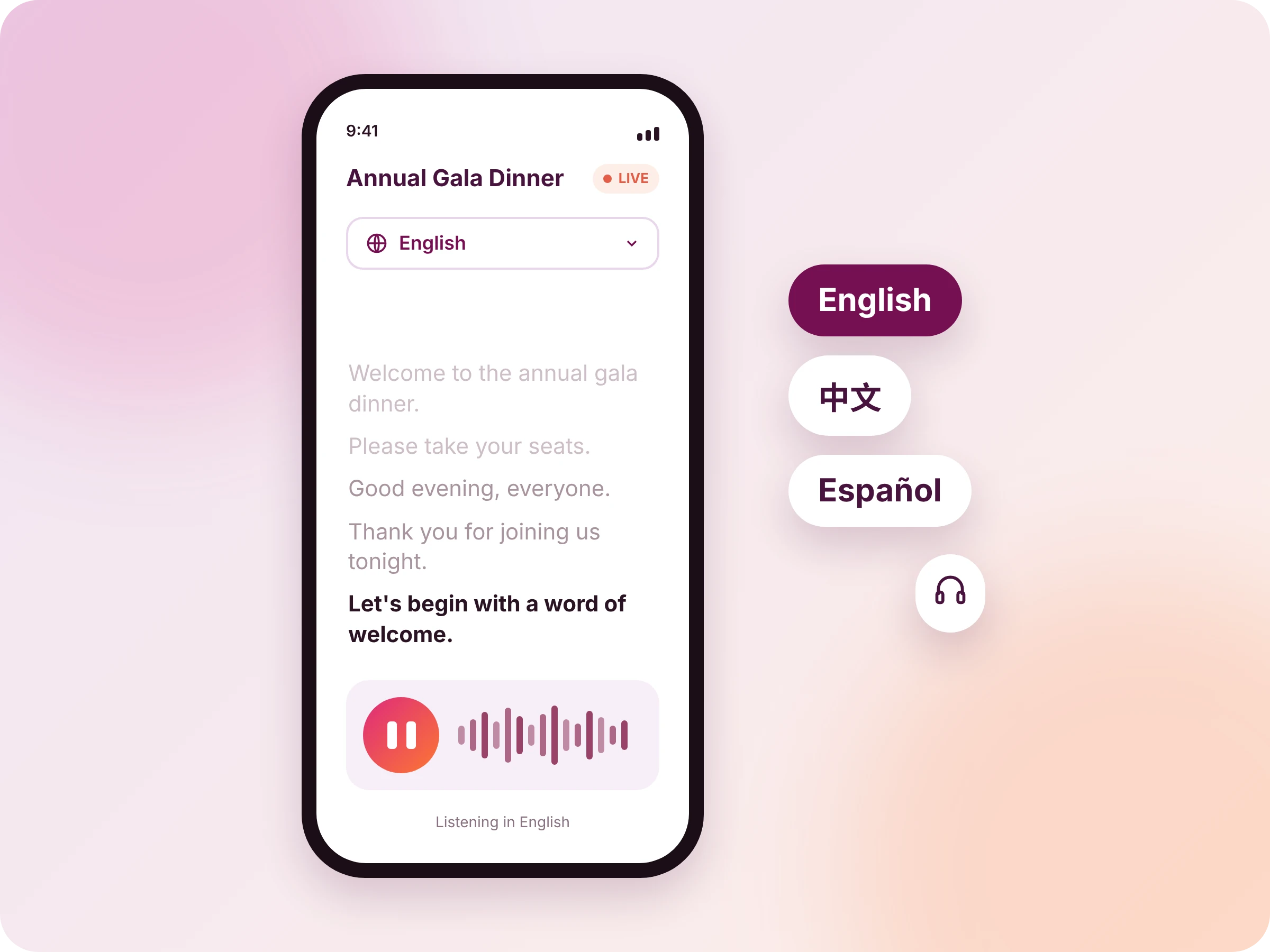
On every phone
Audio & captions on mobile
Guests scan a QR code, pick their language, and listen with earphones or just read. No app, no account, no receivers.
How guests join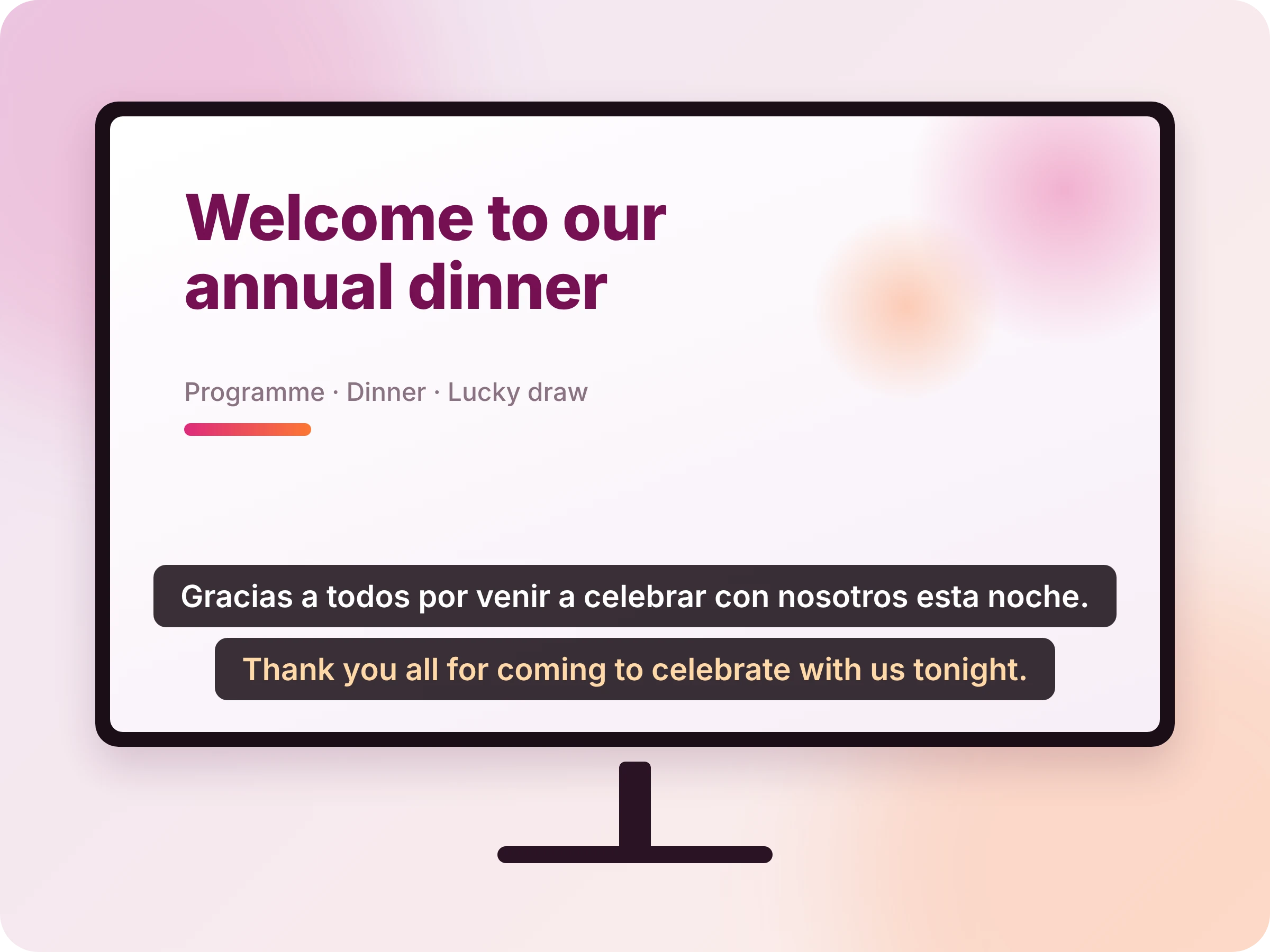
On the projectorNew
Captions on screen
Live translated captions over your PowerPoint or Keynote slides, from one laptop. Show the original and its translation together. No phones or earphones needed.
See captions on screenUse one or both in the same event.
See it at a real event: two-way captions on the LED wall at a 250-guest gala dinner. Read the case studyBuilt for events that bring people together



Accurate where other tools struggle.
Three things that break live translation in a real room.
Speakers mix two languages
Spanish with English terms, in one sentence. Nothing to switch.
“Después del coffee break, vamos a empezar el workshop.”
SpanishEnglish
“After the cofi brec, we'll start the guorchop.”
“After the coffee break, we'll start the workshop.”
Listening for one language only
Hears both languages, with nothing to switch
Languages most tools get wrong
Tuned for Cantonese and other underserved languages.
「大家聽到一頭霧水。」
An everyday idiom. Word for word: “a head of fog”
“Everyone heard a head of fog.”
“Everyone was confused.”
Accuracy on colloquial Cantonese
Accuracy on colloquial Cantonese · Source: Artificial Analysis benchmark
Panels talk over each other
Several microphones at once. Each speaker stays clear.
“Let's take sorry just one more to finish question that point…”
A“Let's take one more question.”
B“Sorry, just to finish that point.”
One mixed feed, read as one speaker
Each speaker kept apart
Before, during and after your event
Before
Teach the AI your speakers' names and key terms in Event context & glossary, put your logo on a Custom Listen page, and add Members to help you run it.
During
Guests follow on their phones or the projector, and the AI live summary lets latecomers catch up in their own language.
After
Get a post-event summary and the full transcript in each language, ready to share.
See pricing
Three simple steps
1Capture the speaker audio
Connect the stage microphone or room audio to begin capturing speech in real-time.
2Live translation starts
Speech is instantly converted into translated text and audio.
3Attendees follow along
Scan a QR code to listen and read on their phones, or follow live captions on the projector over your slides. Nothing for guests to install.
In late 2025, I was planning a 1,400-person anniversary service in London and couldn’t find live translation that actually worked — so Daniel built one. In January 2026, for the first time, everyone could follow the same message in their mother tongue, even without many volunteers or equipment.
And yes...the translated voice might be an upgrade from me

Event Translate is really awesome and inspired me a lot — especially the live voice reproduction, and being able to pre-input key info to enrich the quality of translation.

I’ve tried many live translation services, and I can honestly say Event Translate is the most accurate I’ve used, especially with the glossary feature.
I can really see Event Translate taking off worldwide.

We’ve tried several translation products before, but none of them worked well, especially for Cantonese. Your product was clearly better when we used it last time.

It is a powerful tool for organisations with limited resources that need to run bilingual events or conferences. It allows them to focus on the programme itself instead of worrying about the heavy logistics and man-power of live interpretation.
Common questions
What is AI translation for events?
AI translation for events is real-time speech translation from the speaker to a whole audience at once. Moments after each phrase, every attendee can hear translated audio or read live captions in the language they picked. With Event Translate, attendees scan a QR code and follow on their own phones, so there are no interpreter booths or receivers to hire.
Why choose Event Translate for live event translation?
Affordable, accurate and hassle-free. You pay only for the minutes you translate, from US$11, with no listener fees. Automatic detection of 70+ languages, a custom glossary and a Multi-mic mode for two speakers on separate channels keep quality high. Listeners need no app, and an AI live summary helps latecomers catch up. Buy one-off credits for a single event or subscribe monthly for regular ones.
Do attendees need to install an app?
No. Attendees scan a QR code or open a short link and pick their language. They listen or read in their phone or laptop browser. No app, account or rented receiver is needed.
Which languages are supported, and what if a speaker switches language?
Speakers can talk in 70+ languages and the system detects the language automatically, so there is nothing to switch when a speaker changes language mid-talk, including mixed Chinese and English. You can translate into 86 target languages, each delivered as both translated audio and a live transcript, and a single session can run several target languages in parallel.
Do listeners get captions, translated audio, or both?
Both. Listeners can read live captions, use headphones for spoken translation, or do both. They can switch languages during the session without rejoining. You can also show live captions on the projector or LED wall with our free desktop app.
How does it handle our speakers’ names and industry terms?
Yes. Before you go live, choose an Event type and describe the event in a sentence or two as its Event context. Then add speaker names, company and product names, and industry terms to the Custom Glossary, with a preferred translation per language if you need one. For example, adding Anthropic keeps it in its original form and stops it being misheard.
How many people can listen, and how far behind the speaker are they?
Translation typically starts arriving around 0.5 seconds after a natural speech pause, rather than measured from when the speaker starts talking; full delay varies with speech and connectivity. Use 500–1,000 simultaneous listeners per room as a planning guide, counting people who actually connect. Contact us ahead of a large or multi-room event to confirm capacity. Listener numbers do not increase translation fees.
Where does our audio go, and is it ever used to train AI?
No. Every AI provider we use is contractually barred from training on your content. We keep no recordings. The transcript, translations and AI summaries of each event are saved as event records the organiser can download. Turn off Keep event records and they are delivered live and never written to a database. Either way they never reach our server logs or third-party logging services. Cantonese and Mandarin speech recognition can run entirely on hardware we own. Providers may keep short-lived abuse-monitoring logs (no longer than 30 days for speech recognition) under terms that forbid training. The full list of providers (sub-processors) is available on request.
How is it priced, and can we try it first?
You pay for translation time actually used, not a flat event fee: one credit covers one minute of one target language, so a two-language session spends two credits a minute, and listener numbers never change the price. For one-off events, top up on demand from US$11/hr with AI live summary, custom glossary, zero listener fees, and no subscription. Exact figures are on the pricing page.
Which AI translation tool is best for live events?
There is no single best tool for every event. It depends on how you buy, how many people are listening, and whether you also need human interpreters. For in-person events where anyone should be able to listen and you pay only for what you use, pick a self-serve QR-code tool with no listener fees, such as Event Translate. For human interpreters and AI at the same event, look at LiveVoice, KUDO or Interprefy. For enterprise buying with Zoom or Teams integration, Wordly, Interprefy or KUDO. For the translation in the speaker’s own voice, Maestra, Palabra or JotMe.
Read the full comparisonCan we show live captions on the projector?
Yes. Captions on screen puts live translated captions over your slides on the projector, LED wall or side screen, from one laptop with our free desktop app for Mac and Windows. Guests don't need a phone or earphones.
Have questions or want to collaborate? Get in touch with us.